
Add creators directly
Manually add creators you want to track and manage inside Influocial.
Add creators manually, bring them in from campaigns, organise them with tags and groups, and keep notes, invites, and history inside Influocial.
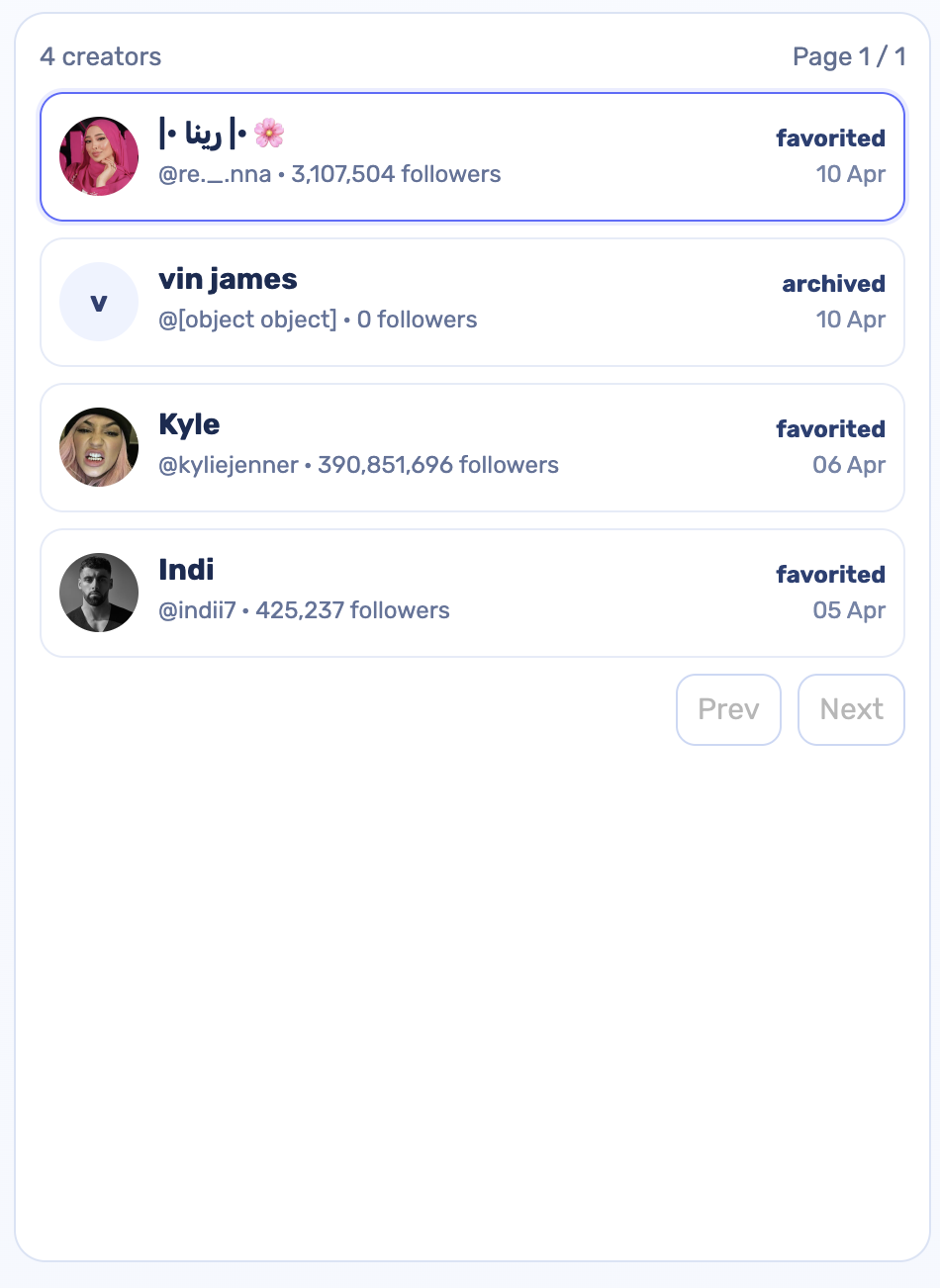
Influocial’s Creator CRM helps brands manage creators properly across campaigns, outreach, and future collaborations.
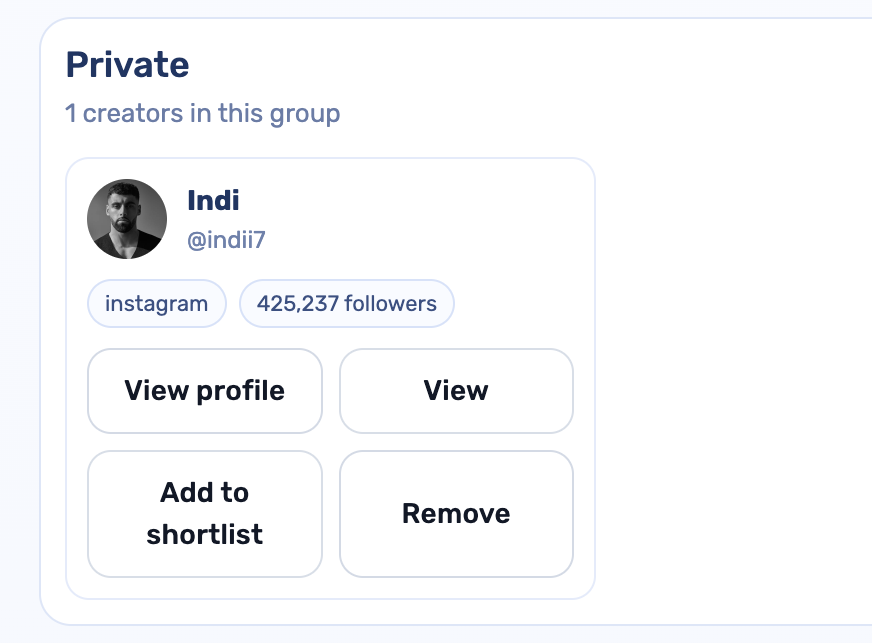
Manually add creators you want to track and manage inside Influocial.
Move creators from campaign applications or campaign workflows straight into your CRM.
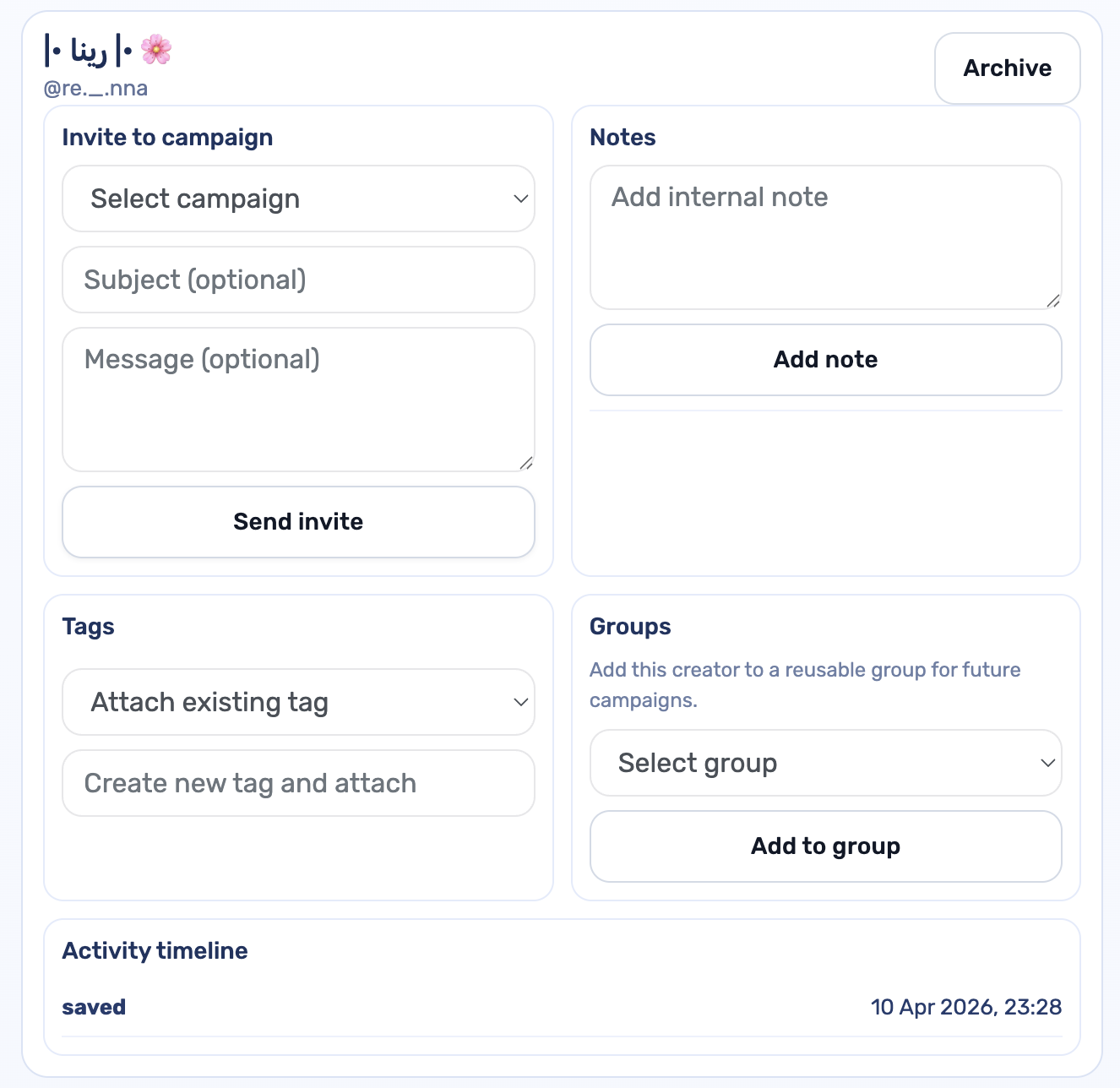
Select a campaign and send an invite directly from the creator record.
Keep private notes on creators so your team always has context.
Attach existing tags or create new ones to organise creators more clearly.
Add creators into reusable groups for future campaigns, launches, or outreach.
See a simple history of creator actions and updates in one place.
Keep your CRM clean by archiving creators you do not want in active workflow.
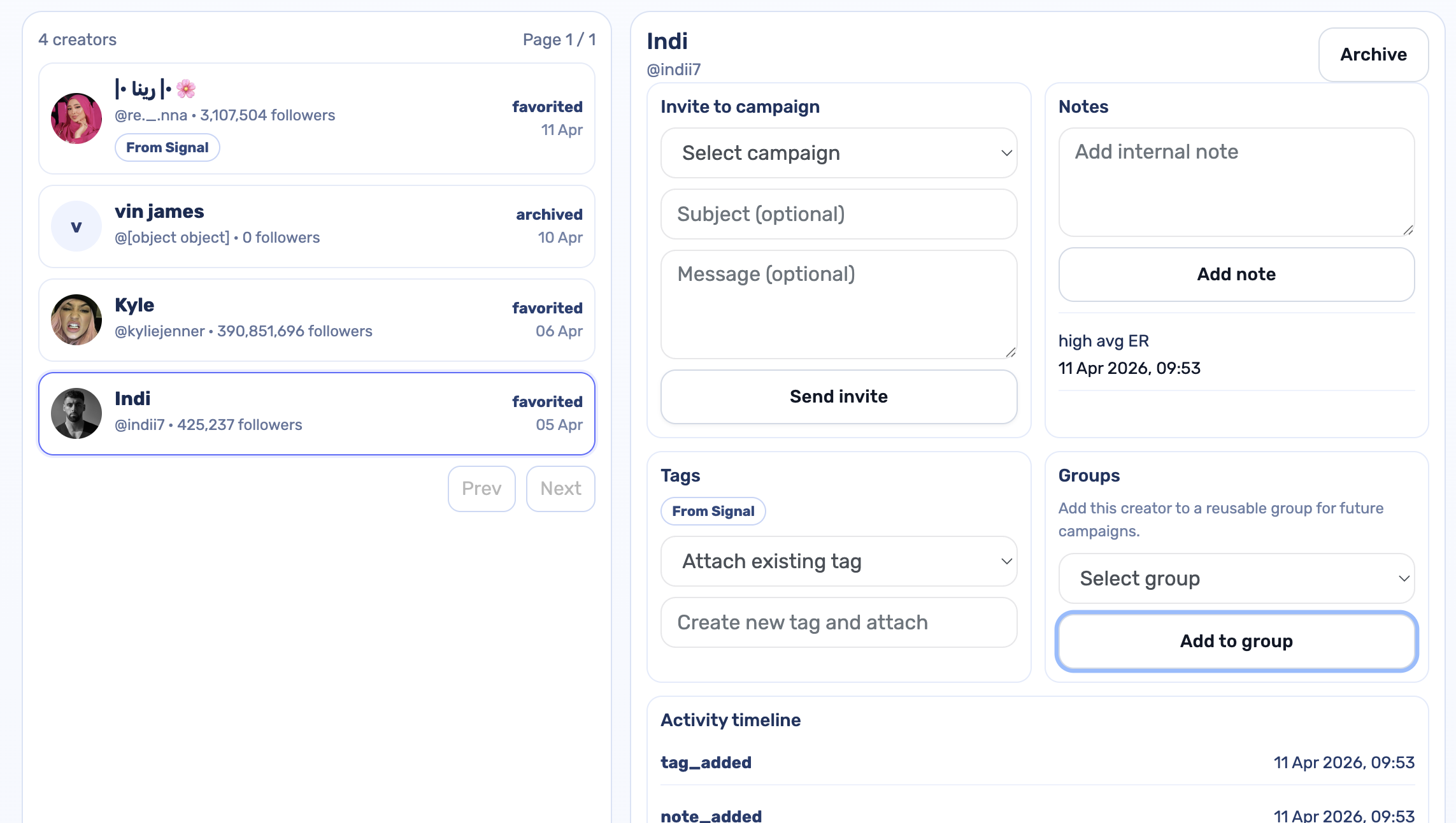

Most brands end up managing creators across spreadsheets, inboxes, campaign applications, notes, and DMs. Creator CRM brings that into one place, so your team can keep creators organised, reusable, and easier to act on.
Save strong creators from one campaign and use them again later.
Sort creators by niche, campaign type, gifting, paid, UGC, ambassadors, or internal workflow.
Invite creators into campaigns directly from the CRM instead of rebuilding lists from scratch.
Use notes and activity history so no one loses track of who was contacted, saved, invited, or archived.
Step 1
Bring creators in manually or from campaigns.
Step 2
Add tags, groups, and notes.
Step 3
Send invites directly from the creator record.
Step 4
Return to the same creator later with full context still attached.
Keep campaign invites, notes, tags, groups, and creator history in one record.
Creator CRM is a relationship workspace inside Influocial for managing creators across campaigns, invites, and future collaborations.
Yes. You can add creators directly into the CRM whenever you find someone worth tracking.
Yes. Creators from campaign applications and workflow stages can be moved into CRM records.
Yes. You can select a campaign and send invites directly from the creator record.
Yes. You can attach tags, create new tags, and group creators for reusable shortlists.
Yes. Internal notes and activity history stay attached to each creator record.
No. Creator CRM is built for growing brands and lean teams that need a cleaner workflow.
Keep creator relationships, invites, notes, tags, groups, and campaign context in one place with Creator CRM inside Influocial.